
Account security
Passkeys explained: how passwordless sign-in actually works
Passkeys replace passwords with a key pair held by your device. Here is what that means in practice, why phishing stops working against them, and the honest trade-offs nobody mentions in the marketing.
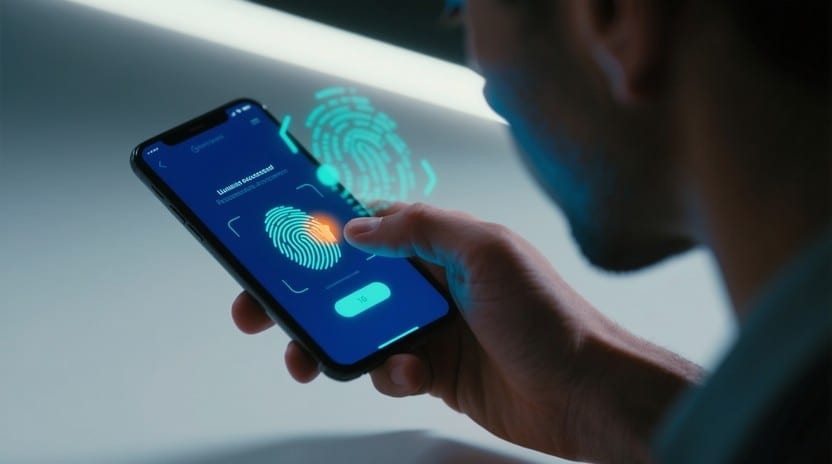
Passkeys are the largest change to consumer sign-in since the password was invented, and the explanations tend to be either marketing copy or cryptography lectures. This is the version in between: what a passkey is, what genuinely improves, and what gets harder.
The password-to-passkey migration checklist
Work through accounts in tiers, not alphabetically. An account with no passkey option yet is not a blocker — skip it and keep its password and 2FA exactly as they are.
| Step | Action | Why this order |
|---|---|---|
| 1 | Confirm you can still sign in with your current password and 2FA method before starting. | You need a working fallback while the passkey is unproven. |
| 2 | Add the passkey alongside the password. Do not remove the password or disable 2FA in the same session. | Most services let both exist at once; removing the old method first is how people get locked out. |
| 3 | Sign out completely and sign back in using only the new passkey. | Confirms the passkey actually works from a cold start, not just immediately after creation. |
| 4 | Enrol a second authenticator (a second device, or a physical security key) for the same account. | A single-authenticator passkey recreates the "lose the phone, lose the account" problem this guide warns about. |
| 5 | Save any recovery codes the service issues at this point, in a physical or offline location. | Recovery codes are frequently the only route back in if every enrolled device is unavailable. |
| 6 | Only now consider removing the password, and only if the service's account-recovery flow does not depend on "enter your old password." | Some recovery flows still silently require the password you just deleted. |
Priority order for which accounts to migrate first:
- Primary email address — it is the recovery route for almost everything else.
- Platform/ecosystem account (Apple, Google, or Microsoft) — the root of identity for synced passkeys, per the trade-offs above.
- Password manager.
- Financial accounts.
- Everything else, as each service adds support.
If a step fails or feels uncertain, stop and keep the password and 2FA active rather than forcing the migration to completion. There is no prize for finishing an account migration in one sitting.
The problem passwords cannot solve
A password is a shared secret. You know it; the service stores a representation of it. Every security property follows from that one design decision, and so does every failure:
- It can be stolen in bulk. A breach of the service exposes material for millions of accounts at once.
- It can be phished. If you can be persuaded to type it into a convincing replica of a login page, the attacker now has it. This is the dominant real-world attack.
- It gets reused. People hold dozens of accounts and a finite memory, so one breach becomes many compromises through credential stuffing.
Decades of mitigation — complexity rules, rotation policies, password managers, SMS codes — treat symptoms. The shared secret is the disease.
What a passkey is
A passkey is a public/private key pair generated on your device for one specific site.
- The private key never leaves your device's secure hardware. It is not transmitted at sign-in, not to the real site and not to a fake one.
- The public key is given to the service at registration. It is not a secret; it is useless to an attacker on its own.
Signing in works by challenge and response. The service sends a random challenge. Your device asks you to confirm — a fingerprint, a face scan, a PIN — and then signs the challenge with the private key. The service verifies the signature against the public key it already holds.
Three consequences fall out of this:
- The service never stores anything worth stealing. A database of public keys is not a prize. There is no hash to crack.
- There is nothing for you to type, and therefore nothing for you to disclose to the wrong party.
- The biometric never leaves your device. Your fingerprint is not sent anywhere. It unlocks local hardware; the hardware produces the signature.
Why phishing stops working
This is the part that deserves emphasis, because it is a genuine structural improvement rather than an incremental one.
A passkey is bound to the site's domain at the moment it is created. Your browser or operating system enforces that binding and will only offer a passkey to the origin it was registered for.
So when you land on paypa1.com instead of paypal.com, your
device does not present a choice for you to get wrong. It simply
has no passkey for that origin. The attack does not fail because
you noticed — it fails because the protocol will not participate.
Compare this to two-factor authentication by SMS, where a convincing fake page asks for the code and a hurried person supplies it. Phishing kits that relay credentials and one-time codes in real time are commodity software. Against a passkey they have nothing to relay.
Where passkeys live
Originally a passkey was tied to one device. That was secure and impractical: lose the phone, lose the account. Two models now exist.
Synced passkeys (the common case). The key is backed up to your platform account — the Apple, Google, or Microsoft ecosystem, or a third-party password manager — and is available across your devices. Your ecosystem account becomes the point of recovery, and its own security becomes critical.
Device-bound passkeys. The key is generated in hardware and cannot be exported: a physical security key, or a specific phone. Stronger, and mandatory in some regulated contexts, but you must enrol more than one or accept real lockout risk.
There is also cross-device sign-in: signing in on a laptop using the passkey on your phone. The two are paired over Bluetooth for proximity, with the actual exchange over the internet. The Bluetooth requirement is deliberate — it proves the phone is physically near the computer, which is what stops an attacker from prompting your phone from another continent.
The honest trade-offs
Passkeys are a large improvement. They are not free of downsides, and pretending otherwise does readers no favours.
Your platform account becomes a single point of failure. If synced passkeys live in your Google or Apple account, then whoever controls that account controls your sign-ins. That account needs your strongest protection — ideally a hardware key.
Ecosystem lock-in is real, if improving. Moving a passkey library between platforms has historically been difficult. Portability standards are arriving, but if you are deep in one ecosystem, migration is not yet trivial.
Account recovery is the weak link. Cryptographically the sign-in is excellent. But every service still needs an answer for "I lost all my devices" — and that answer is frequently an email link or a support agent, which is exactly the weakness passkeys were meant to remove. A service's recovery flow, not its passkey implementation, is now the thing worth judging.
Shared devices are awkward. A passkey assumes a device with one owner. Family computers and shared workstations do not fit the model cleanly.
Coverage is incomplete. You will run passkeys alongside passwords for years. Anyone promising you can delete your password manager is overselling.
Practical advice
- Start with the accounts that gate everything else: your primary email, then your platform account (Apple, Google, Microsoft), then your password manager. Compromise of any of these cascades.
- Enrol at least two authenticators wherever the service allows it. A phone and a laptop, or a phone and a hardware key. Single-authenticator setups are how people get locked out.
- Keep the recovery codes. Print them. Store them physically. They are your route back when the devices are gone.
- Do not delete the password immediately. Run both until you are confident in the recovery path.
- Protect the ecosystem account hardest. Under a synced model it is the root of your identity.
Recovery edge-case playbook: lost devices and trusted contacts
Because a passkey private key never leaves your enrolled devices or end-to-end encrypted keychain, recovery requires intentional planning. Use this triage playbook for the three most common disruptions:
Scenario 1: Primary phone lost or stolen (single device failure)
- Lock the device immediately via Find My (Apple) or Find My Device (Google) to suspend biometric unlock.
- Obtain replacement hardware and authenticate into your ecosystem account (Apple ID or Google Account) using an enrolled backup factor (SMS or trusted tablet/Mac).
- Trigger keychain restore: Synced passkeys populate automatically onto the new device without contacting individual website support teams.
- Revoke the lost handset's session in platform account settings to invalidate its local hardware-bound keys.
Scenario 2: Catastrophic total loss (all enrolled hardware gone)
When both your phone and laptop are unavailable, ecosystem recovery keys and trusted contacts become the only recovery path:
| Platform | Recommended recovery anchor | Fail-safe fallback | What to configure today |
|---|---|---|---|
| Apple (iOS/macOS) | Account Recovery Contact (trusted family member) | 28-character Recovery Key (printed and stored offline) | Settings → Apple Account → Sign-In & Security → Account Recovery |
| Google (Android/Chrome) | Physical Security Key (stored in safe) | One-time 8-digit backup codes | Google Account → Security → 2-Step Verification → Backup Codes |
| Independent Vaults (1Password/Bitwarden) | Emergency Kit PDF containing master secret key | Designated Emergency Contact with scheduled vault access | Export Emergency Kit to physical paper; store with passport |
Scenario 3: Switching operating systems (iOS to Android or vice versa)
Platform keychains do not sync cross-OS natively. Before wiping an old device:
- Option A (Multi-platform password manager): Store passkeys in an independent manager (1Password, Bitwarden, or Dashlane) that syncs seamlessly across iOS, Android, macOS, and Windows.
- Option B (FIDO QR Code Bridge): Use your existing phone to authenticate a desktop browser session on the target OS by scanning the FIDO WebAuthn QR code, then register a native passkey on the new device.
- Option C (Account recovery fallback): Maintain one secondary TOTP authenticator app or email recovery method on critical root accounts until the new ecosystem passkey is confirmed operational.
Is it worth switching?
For most people, yes — and the reason is narrow and strong: phishing is how ordinary accounts actually get taken over, and passkeys defeat it structurally rather than by asking you to be vigilant. Security that does not depend on the user being alert at the wrong moment is rare and worth adopting.
Just go in understanding that you have not eliminated risk; you have concentrated it in your platform account and your recovery path. Secure those two things properly and the trade is strongly in your favour.