
Account security
Choosing a two-factor method: SMS, apps, and hardware keys compared
Not all second factors are equal. SMS codes stop opportunistic attacks but fail against the ones aimed at you specifically. A practical comparison, and what to use for which account.
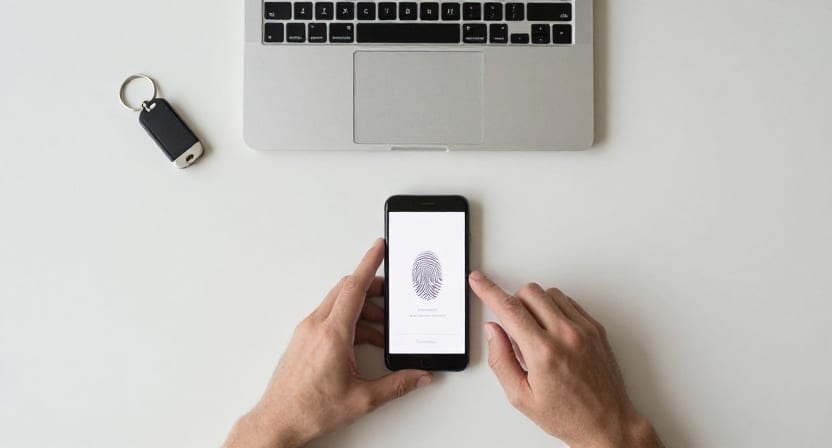
Two-factor authentication is the highest-value security change most people can make, and the advice usually stops at "turn it on". But the method matters enormously. The gap between the weakest and strongest options is larger than the gap between having no second factor and having a weak one.
Here is how the options actually compare, and a sensible way to decide.
If you only do one thing today, protect your primary email and password manager with a phishing-resistant method (hardware key or passkey where available), then remove SMS fallback on those same accounts.
Fast decision matrix by account type
Use this matrix when you need to decide quickly:
| Account type | Minimum acceptable | Recommended | Avoid if possible |
|---|---|---|---|
| Primary email | Authenticator app (TOTP) | Hardware key / passkey + backup key | SMS-only |
| Password manager | TOTP | Hardware key / passkey + backup key | SMS-only |
| Banking / brokerage | TOTP | Hardware key / passkey where offered | SMS fallback left enabled |
| Social / creator accounts | TOTP | TOTP + hardware key for high-reach accounts | Email-code-only |
| Low-value accounts | Any available 2FA | TOTP | No second factor |
Fallback priority when multiple methods are available:
- Hardware key / passkey
- Authenticator app (TOTP)
- Push with number matching
- SMS (only when nothing stronger exists)
What the second factor is for
Authentication factors are traditionally grouped as something you know (a password), something you have (a phone, a key), and something you are (a fingerprint). The point of requiring two is that an attacker who defeats one is unlikely to have also defeated the other.
The threat you are defending against determines which method you need:
- Credential stuffing — automated reuse of passwords from other breaches. Any second factor defeats this.
- Targeted phishing — a convincing fake page harvesting your password and your code. Most second factors fail here.
- SIM swapping — an attacker transfers your phone number to their own SIM. Defeats anything delivered to your number.
- Device theft — physical access to an unlocked phone.
Ordinary accounts face the first. Anyone with money, an audience, or access to a valuable system faces the rest.
The options, weakest to strongest
SMS codes
A code texted to your number.
Good: universally supported, needs no setup, works on any phone. It defeats credential stuffing, which is the bulk of automated attacks.
Bad: the number is not really yours. It is a record at a mobile carrier that a customer-service representative can be socially engineered into changing — SIM swapping. This is not theoretical; it is the standard technique against anyone holding cryptocurrency or a desirable username. SMS is also fully phishable: a fake page asks for the code and relays it within its validity window.
Verdict: far better than nothing, and the right answer where it is the only option. Never the right answer for email, banking, or anything holding money.
Email codes
A code sent to your email address.
Good: better than nothing.
Bad: it is often not a second factor at all. If the account recovery path also runs through that mailbox, then the mailbox is a single point of failure and you have one factor wearing a disguise.
Verdict: acceptable only for low-value accounts, and only when the mailbox itself is strongly protected.
Authenticator apps (TOTP)
The six-digit rotating codes from apps like Aegis, 2FAS, Raivo, Authy, or the authenticators built into password managers and platform accounts.
They work from a shared seed and the current time — no network, no carrier, no SMS. The standard is open, so you are not tied to one vendor.
Good: immune to SIM swapping. Works offline and while travelling. Free. Widely supported.
Bad: still phishable — a fake page can ask for the code and use it inside its 30-second window. And the seed is a secret that exists in more than one place, so backup handling matters.
Verdict: the sensible default for most accounts. A large step up from SMS, with no meaningful cost.
Choose an app that lets you export an encrypted backup. An authenticator you cannot migrate turns a lost phone into a lockout across every account at once.
Push approvals
A notification saying "Approve this sign-in?"
Good: convenient. Often shows location and app context, which gives you information a bare code does not.
Bad: vulnerable to MFA fatigue — an attacker with your password triggers prompts repeatedly, at 3am, until you tap Approve to stop the noise. It works often enough to be a standard technique.
Verdict: acceptable when it uses number matching (the screen shows a number you must type from the login page), which largely neutralises the fatigue attack. Weak without it.
Hardware security keys (FIDO2/WebAuthn)
A physical device — YubiKey, Titan, or the secure element built into your phone — that signs a cryptographic challenge.
This is the same technology described in our guide to passkeys, used as a second factor rather than as the whole sign-in.
Good: it is domain-bound. The key only responds to the origin it was registered with, so a fake page gets nothing — not because you noticed, but because the protocol refuses. Nothing is transmitted that can be replayed. Immune to SIM swapping, phishing, and fatigue attacks alike.
Bad: costs money. Must be carried. And you need a second key, enrolled and stored elsewhere, or a lost key means a lockout.
Verdict: the strongest widely available option. For your email account and anything financial, it is worth the cost and the inconvenience.
What to use where
A workable tiering:
Tier 1 — hardware key, plus a backup key. Your primary email. Your platform account (Apple, Google, Microsoft). Your password manager. Domain registrar. Banking and brokerage. Anything holding cryptocurrency.
These are root accounts: whoever controls them can reset almost everything else. The strongest available protection is proportionate.
Tier 2 — authenticator app. Social media, cloud storage, work tools, shopping accounts with a saved card, anything with an audience or a payment method.
Tier 3 — whatever is offered, including SMS. Forums, newsletters, retail accounts with no stored payment. Turning something on beats perfecting nothing.
The mistakes that cause lockouts
Getting locked out of your own account is a more common outcome than being hacked. Four rules prevent nearly all of it:
- Save the recovery codes at setup. Every service shows them once. Print them; store them physically with your important documents. They are the route back when devices are gone.
- Enrol two authenticators, always. Two hardware keys, or an app plus a key. A single factor with no backup is a lockout waiting for a dropped phone.
- Do not keep the only copy of your codes on the phone the codes protect. If your authenticator, your password manager, and your recovery email all live on one handset, losing it loses everything simultaneously.
- Test recovery before you need it. Once a year, confirm you can still find your codes and that your backup key works.
Removing SMS afterwards
A subtle failure: people add a strong method but leave SMS enabled as a fallback. Your account is then only as strong as its weakest enabled method, because an attacker will simply choose that one.
Once a stronger method is working and you have recovery codes stored, remove the phone number as a sign-in factor on important accounts. Some services keep it for account notices — that is fine. What matters is that it can no longer be used to authenticate.
Decision matrix: passkey implementation with secure fallback policy
Enabling passkeys without managing alternative sign-in options leaves a dangerous loophole known as a downgrade attack: an attacker simply clicks "Try another way" on the login screen to fall back to an easily phished SMS or email verification code.
Use this policy matrix to enforce secure fallback boundaries:
| Account category | Primary authentication factor | Authorized secure fallback | Prohibited fallback (must disable) |
|---|---|---|---|
| Tier 1: Root accounts (Primary email, Apple ID, Google Account, Password Manager) | FIDO2 Passkey / Hardware Security Key (e.g., YubiKey 5) | Second enrolled hardware key OR printed offline emergency recovery codes stored in physical safe. | 🚫 SMS code 🚫 Voice call code 🚫 Unauthenticated email reset link |
| Tier 2: Financial & Commerce (Banks, brokerages, payroll, crypto) | FIDO2 Passkey (device biometrics) | Standalone Authenticator App (TOTP with encrypted backup, e.g., 2FAS, Aegis). | 🚫 SMS fallback (request bank disable SMS 2FA where passkey is active). |
| Tier 3: Social & Collaboration (Social networks, developer hubs, cloud storage) | Passkey (ecosystem or 1Password/Bitwarden vault) | Authenticator App (TOTP) + account recovery contact. | 🚫 "Friend code" recovery 🚫 SMS verification codes. |
| Tier 4: General consumer web (Forums, retail, newsletters) | Passkey or unique 20+ char password | Any available secondary factor (TOTP preferred, SMS acceptable if only choice). | 🚫 Reused password across services. |
The 4-step downgrade prevention checklist
When enrolling a passkey on an existing service:
- Register two distinct passkey authenticators: e.g., your primary smartphone and an independent tablet or secondary laptop browser.
- Download or print the alphanumeric recovery codes: Place them in your offline emergency documents folder.
- Navigate to the "Alternative sign-in methods" menu: Explicitly remove SMS text messaging and voice calls as permitted challenge factors.
- Log out and perform a verification test: Attempt to log in from a private/incognito browser window. Confirm the service requires your passkey and does not offer an insecure SMS shortcut.
A twenty-minute version
If this is more detail than you wanted:
- Buy two hardware keys. Register both on your email account. Store one at home, carry the other.
- Install an authenticator app with encrypted backup. Use it for everything else.
- Print your recovery codes and put them with your passport.
- Turn off SMS as a factor wherever a stronger method now works.
That sequence removes the great majority of realistic account-takeover risk, and it takes an evening.