Recovery, step-up, and passkeys: a modern account-security walk-through
The design goal
Account security on a social network sits between two failure modes. The first is the phished, credential-stuffed, session- hijacked account that empties your contacts before the real owner can react. The second is the locked-out user who can't prove they're the person on the account any longer, and who has been abandoned by the platform's recovery flow.
Seldeo's account-security model is designed to make the first failure hard without making the second inevitable. Three mechanisms do the work:
- Passkey-first sign-in, so the primary credential is not a password.
- Step-up prompts, so the moments that matter (a device pairing, a memorial-contact designation, a data export) each require a fresh verification rather than relying on a session that could be many months old.
- Layered recovery, so an account holder who has lost their phone can prove they're still the person on the account through a sequence of small proofs rather than one big one.
Passkey-first sign-in
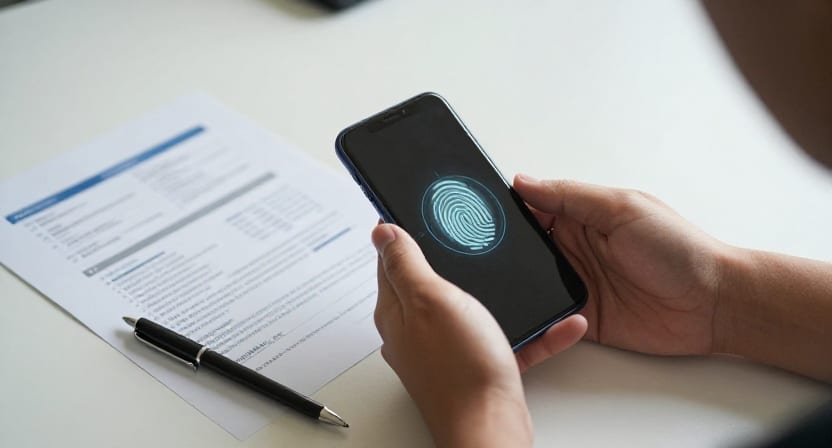
New accounts on Seldeo do not have a password. The primary credential is a passkey — a WebAuthn credential bound to the device's secure enclave or TPM, generated at sign-up, and transportable across your Apple or Google accounts if you use their credential-sync features.
Compared to a password:
- There is nothing to phish. The credential never leaves the device.
- There is nothing to leak in a breach. Our servers only store the public half.
- There is nothing to reuse. Your Seldeo passkey works only for Seldeo.
The compromise this made was more upfront work at sign-up. Passkey registration is a two-step flow — sign up, then pair the credential. We spent design time smoothing that step so the median first-launch experience takes about 40 seconds without significantly degrading the security bar.
Accounts that were created before passkey support existed still have a password on file. Sign-in with those credentials still works. We prompt those users to upgrade to a passkey at next sign-in, and eventually we will end the ability to sign in with the legacy password — with plenty of advance notice.
Step-up prompts
A social account looks the same to the system whether you're signing in to react to a friend's post or to authorize an export of the entire account and hand the ZIP to a new address. From the user's perspective it obviously does not. The step-up system captures that difference.
A step-up is a targeted, fresh verification requested at the moment a high-risk action is initiated. It looks the same to the user regardless of the underlying method (passkey re-auth, one-time code to a verified email, one-time code to a verified device), and it always comes with:
- A one-line description of what the step-up is authorising ("Export all your data to shoeb@example.com").
- The country + rough city the request came from, based on IP geolocation.
- The browser + OS summary of the initiating device.
Actions that trigger step-up include:
- Adding a new sign-in method (a new passkey, a new phone number).
- Removing an existing sign-in method or a paired device.
- Deleting the account or the memorial account designation.
- Exporting the account or requesting a partial export.
- Changing the primary email address or phone number.
- Setting up or changing your legacy memorial contacts.
Step-up requests appear as an in-app modal on any paired device, as an email to the address on file, and, if the account has push registered, as a system push notification.
Layered recovery
The hardest problem in account security is recovering an account whose primary owner has lost every trusted device and signed-out of every backup credential. Seldeo's answer is not to ask for a government-issued ID for every recovery. Government-ID recovery is a last resort and, when it applies, we route it through a verification partner that never returns the document image itself to Seldeo.
Instead we apply five recovery proofs in sequence, with different weights. Each one on its own is not enough. The combination clears the recovery bar.
- Verified email round-trip. Prove you can receive email at the address on file.
- Verified phone round-trip. Prove you can receive an SMS at the number on file.
- Trusted-device attestation. Prove that you are on a device that was paired to the account inside the last 60 days.
- Community proofs. In the newer versions of the recovery flow, we invite a small number of long-standing friends of the account to attest that they can vouch for the recovering user. Friends who agree receive an in-app prompt describing the request; anything more than a two-of-three attestation model is deliberately opt-in rather than default.
- Government-ID verification through our partner, for accounts where no other combination clears the bar.
The scoring is deliberately transparent: the account-recovery UI shows you which proofs you have available, which you haven't yet passed, and which the case still needs. There is no black box.
What we log and what we don't
For every sign-in, step-up prompt, and recovery attempt, we record:
- Timestamp.
- IP address, coarse geolocation (country + region).
- User agent (browser/OS summary).
- The specific action that triggered a step-up.
We do not record:
- The plaintext of any one-time code delivered to your device.
- The content of any recovery evidence beyond a boolean pass/fail.
- The location beyond country + region. We do not maintain a fine-grained sign-in geo history against your account.
The log is available to you under Settings → Security → Recent activity. If a row in the log looks unfamiliar, "Not me" opens the account-lock flow.
Session hygiene
The session your device holds after sign-in expires on a sliding schedule:
- Refresh token: valid for 90 days from last use.
- Access token: valid for 60 minutes from issuance.
- Idle timeout on shared or public devices: 30 minutes. Seldeo detects "sign in from a shared device" via a session cookie the user opts into at sign-in.
Any session can be revoked from Settings → Security → Sessions, individually or all-at-once. Revocation propagates within a minute.
Notifications about your security
When any of these events happens on your account, we notify you at every notification channel we can:
- A new device signs in.
- A step-up completes.
- A recovery attempt is opened.
- A passkey is added or removed.
- The primary email or phone is changed.
Notifications carry the same context as the step-up modal: country, city (rough), browser and OS summary, and a link that opens the "Not me" flow if something is off.
What we still owe you
- Hardware security key support for accounts that want a step above passkey. Registration is planned for Q4.
- A structured session timeline. A visual "everything that has happened to your account in the last 90 days" view.
- Optional passphrase-encrypted message backup so a recovered account also recovers its message history — a design problem we described in the E2EE messaging post.
A social account is often the accumulation of years of photos, messages, and small kindnesses. The security model around it should reflect that weight. If you have specific feedback, security@seldeo.com is the right address.